The world of graphic design has changed dramatically. Not long ago, creating high-quality visual content required complex software and hours of tedious manual work
Today, AI-powered design platforms and image generators like Grok, Midjourney, and Ideogram have taken center stage. Creators, marketers, and business owners use these tools to generate stunning posters, hyper-realistic photos, clean logos, and social media graphics in seconds.
If you want to know which AI graphic design tools are dominating the industry and how to access them, here is a simple breakdown of the most popular tools available right now.
1. Grok Imagine & FLUX: High-Speed, Photorealistic Visuals
xAI’s Grok (powered by top-tier models like FLUX) has quickly become one of the most talked-about AI image generators on the internet. Known for its incredible speed and hyper-realistic detail, Grok allows users to render photorealistic imagery with minimal effort.
- What Makes It Popular: Unmatched rendering speed (generating images in seconds), realistic skin textures, dynamic lighting, and fewer restrictive filters compared to legacy tools
- Best Used For: Photorealistic graphics, social media content, creative concept art, and high-energy promotional imagery.
- Skill Level: Beginner to Intermediate.
- Try it here: Visit Grok
2. Midjourney: The Undisputed Champion for Cinematic Art
Unlike standard photo generators, Midjourney has a unique artistic engine that adds rich lighting, painterly details, and stylistic depth to almost any prompt.
When it comes to pure artistic quality and cinematic visuals, Midjourney remains the gold standard among designers and digital artists.
- What Makes It Popular: It produces the most visually stunning, high-definition art on the market. Features like Style Reference allow designers to match a specific color palette or brand mood across multiple images.
- Best Used For: Editorial photos, website hero images, fantasy/concept art, and high-end marketing campaigns.
- Skill Level: Intermediate (requires learning prompt parameters).
- Try it here: Visit Midjourney
3. ChatGPT & DALL-E (GPT Image): Best for Conversational Design
OpenAI’s ChatGPT (utilizing GPT Image and DALL-E capabilities) is the most accessible AI tool because millions of people already use ChatGPT daily for writing and research.
Instead of writing complex prompts, you can simply talk to ChatGPT like a human assistant to create and refine your graphics step by step.
- What Makes It Popular: Extreme ease of use. You can upload an existing sketch or photo and ask ChatGPT to modify specific parts, change colors, or generate an illustration based on a document.
- Best Used For: Fast brainstorming, blog graphics, infographics, and making quick iterative changes through chat.
- Skill Level: Total Beginner.
- Try it here: Visit ChatGPT
4. Ideogram: The Leader for Text, Typography, & Posters
One of the biggest struggles with early AI generators was rendering readable text words on AI-generated signs often looked like gibberish. Ideogram solved this problem and quickly became a favorite tool for graphic designers.
- What Makes It Popular: Best-in-class typography accuracy. Ideogram can render clean, correctly spelled headlines, quotes, and logos directly inside generated graphics.
- Best Used For: Promotional posters, event flyers, typography logos, t-shirt prints, and quote graphics.
- Skill Level: Beginner to Intermediate.
- Try it here: Visit Ideogram
5. Recraft: The Ultimate AI Tool for Vectors & Scalable Logos
Most AI image generators produce pixel-based (raster) images, which become blurry when resized. Recraft stands out because it allows designers to generate native SVG vector graphics.
- What Makes It Popular: It generates scalable vector artwork, icons, and 3D illustrations that professional graphic designers can open and edit inside software like Figma or Adobe Illustrator.
- Best Used For: Brand icons, vector logos, website illustrations, and scalable marketing assets.
- Skill Level: Intermediate to Professional.
- Try it here: Visit Recraf
6. Canva Magic Studio: The Everyday Graphic Design Suite
While standalone AI generators create images from scratch, Canva Magic Studio combines AI generation with an easy drag-and-drop graphic design editor.
- What Makes It Popular: It gives non-designers access to dozens of AI tools—such as instant background removal, text-to-image creation, AI photo editing, and auto-resizing for different social media platforms.
- Best Used For: Instagram posts, YouTube thumbnails, presentations, business flyers, and brand kits.
- Skill Level: Beginner.
- Try it here: Visit Canva
How to Build the Ultimate AI Design Workflow
The smartest designers don’t rely on just one tool—they combine them based on what each platform does best:
- Ideation & Brainstorming: Use ChatGPT to generate design ideas and draft your visual concepts.
- Hero Visuals & Realism: Generate background photos in Midjourney or Grok
- Typography & Logos: Create clean, text-based posters or vector icons using Ideogram or Recraft.
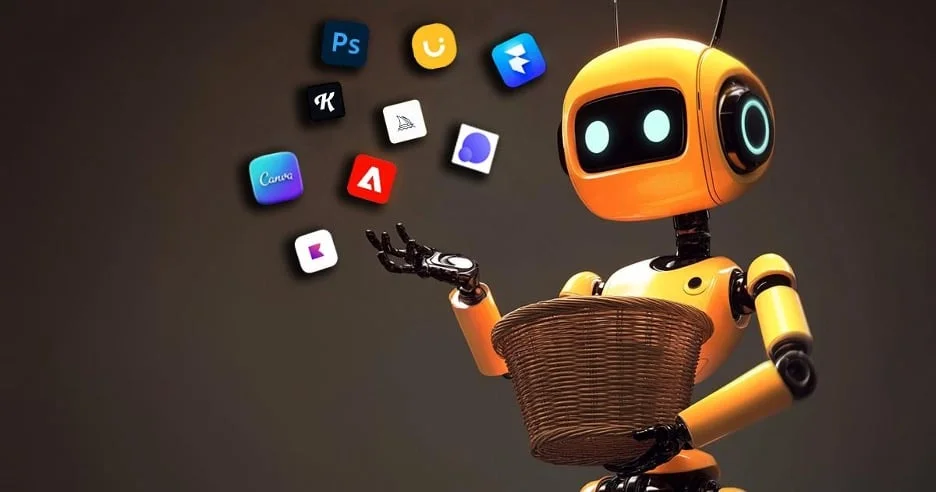
- Final Assembly: Bring all your pieces into Canva, Figma, or Photoshop to add final layout adjustments and export for publishing.
By pairing AI speed with human curation, you can produce professional-level graphics in a fraction of the time.